Connect to LiveSynthesis
LiveSynthesis by LLM Grader is a tool for posing a question, collecting responses from everyone, and using an LLM to turn those responses into a concise synthesis. It reveals common ground, meaningful differences, misconceptions, and ideas that might otherwise be missed.
Join the LiveSynthesis session at the beginning in class, whether you attend in person or remotely.
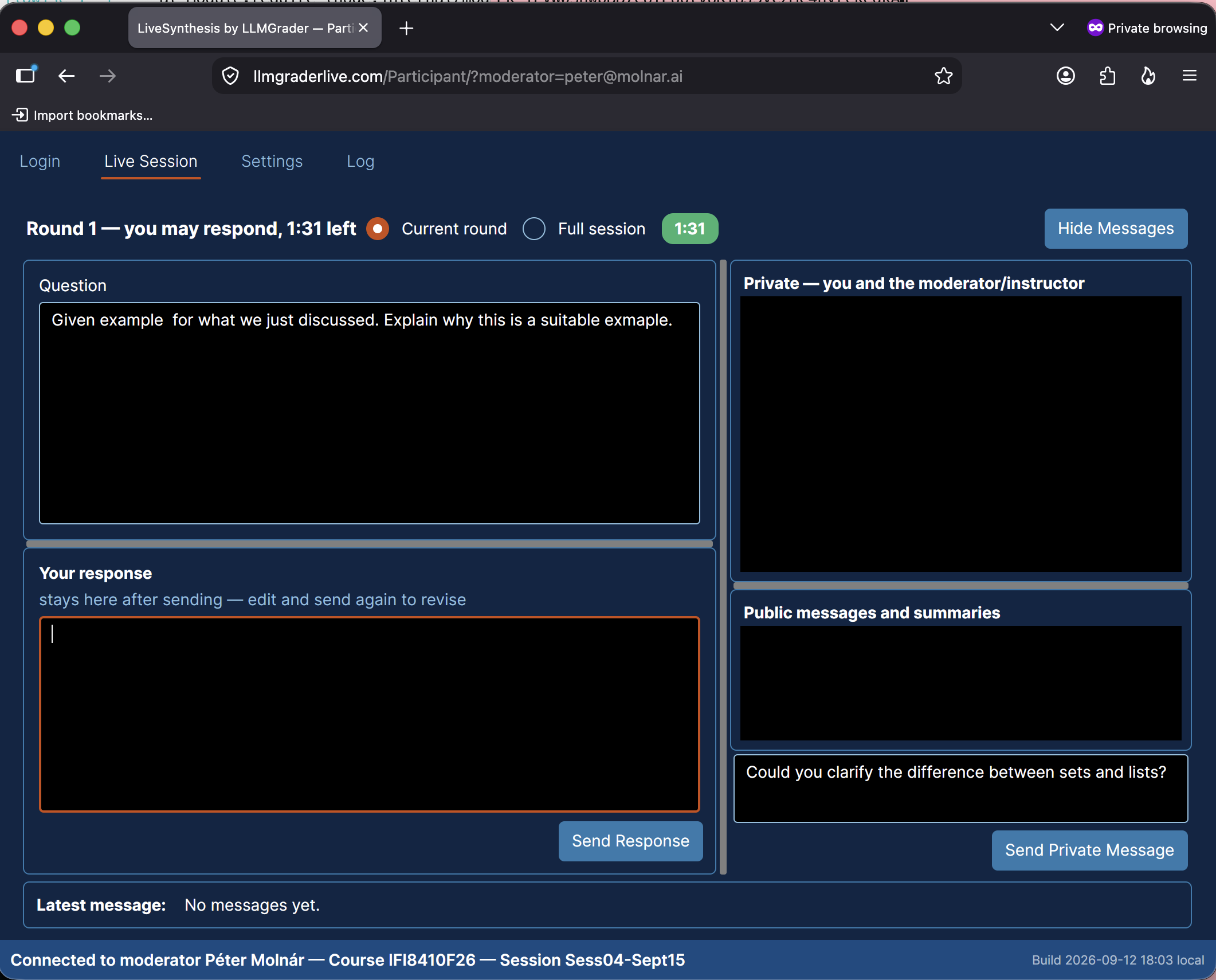
Login
Use your student email to sign in. If not instructed otherwise, leave the password blank. Do not change the moderator’s email.
Click on “Connect” to join the session. Just wait if the session has not been activated; you will be connected automatically.
Ask Questions - Message Instructor
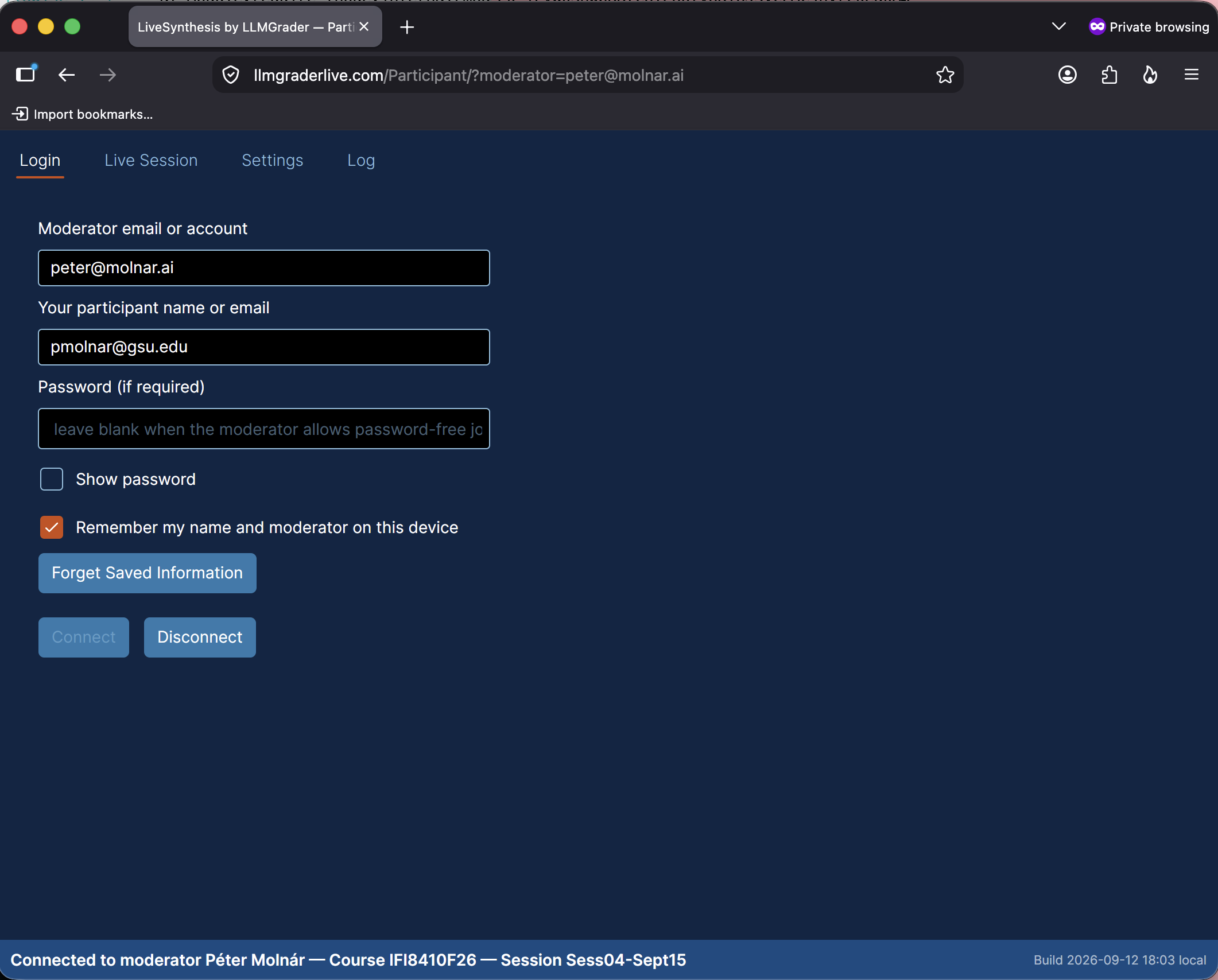
The Message Panel allows you to ask questions. Click on “Show Messages” to bring up the panel.
Your messages are seen by the instructor and assistant. You may also use this to raise your hand; just type “hand” or “I have a question”
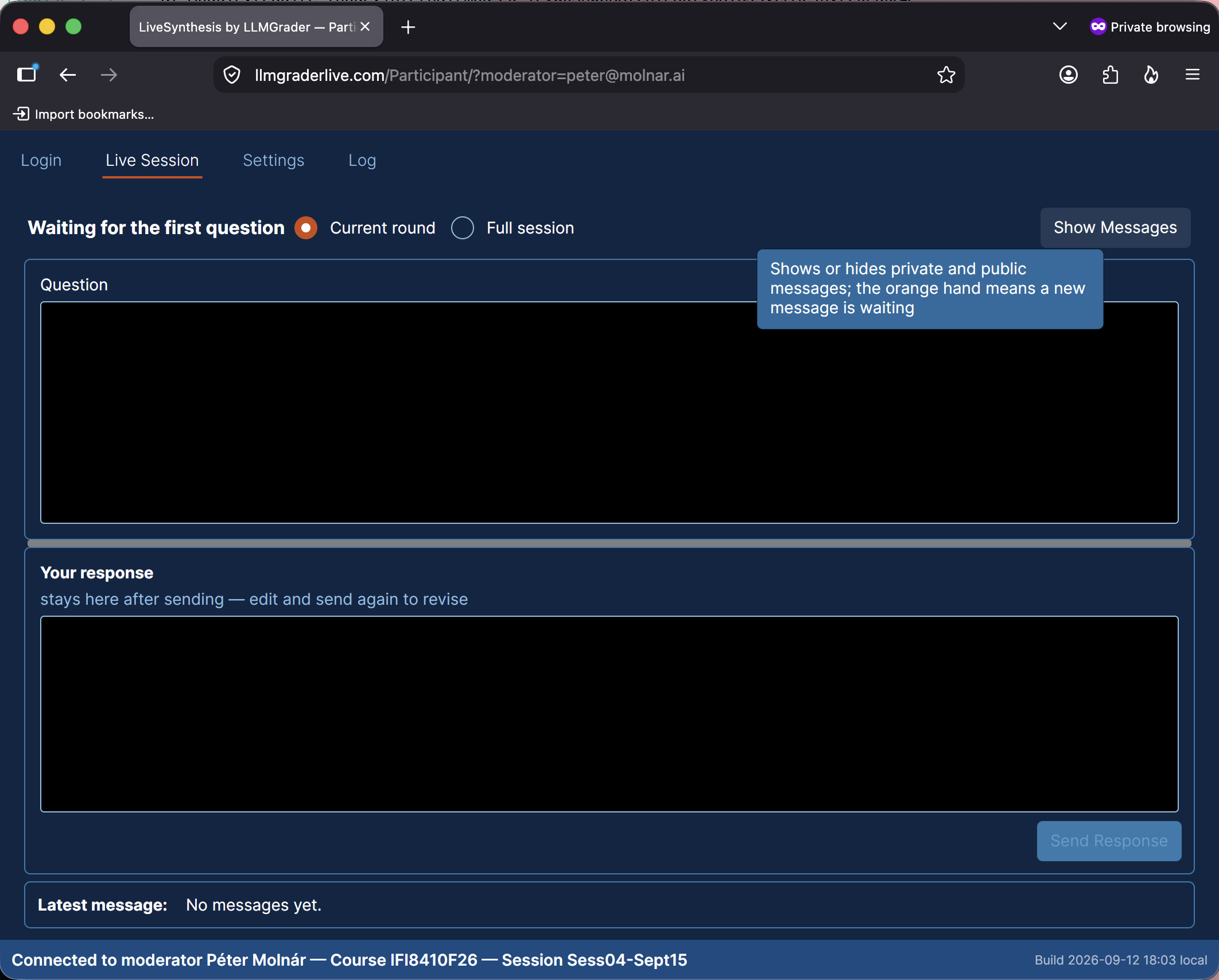
Type your message into the text box in the lower right corner.
Participate in Class Conversation
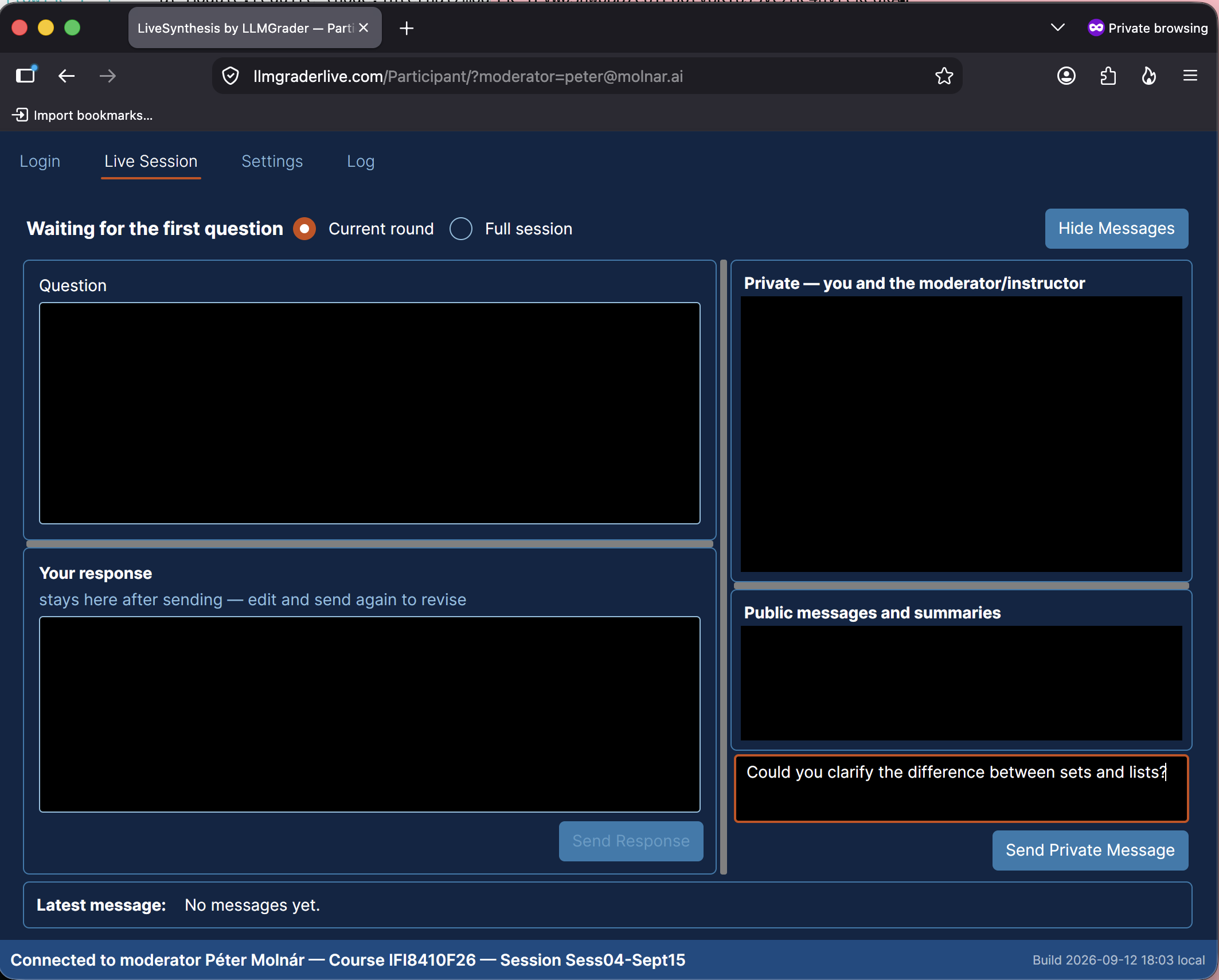
LiveSynthesis lets everyone in class be heard, whether you attend in person or remotely. When the instructor poses a question, type your response and submit it. LiveSynthesis collects all responses and generates a summary and analysis in near real time.