Unix File System and Command Line
Unix presents every disk, every home directory, and every data file as one tree rooted at /, and gives you a text interface for moving through it. Learn where you are (pwd), what is there (ls), and how to get elsewhere (cd), and the rest — absolute versus relative paths, . and .., ~ — stops being syntax to memorize and becomes a map you can read.
The second idea is composition. Unix tools are small programs that each do one thing and speak in text streams, so redirection (>, >>) and pipes (|) can reconnect their input and output into a workflow no single command provides. Around that sit the practical concerns: permissions, which decide who may read, write, or execute a file; running your own Python scripts from the shell with arguments; and the care the command line demands, since rm has no undo.
Listen
| Speaker | Text |
|---|---|
| Alex | So, um, the Python scripts you were writing today to train state of the art AI, they’re actually being controlled by a design philosophy built for a computer with like less memory than a modern smart light bulb. |
| Sam | Yeah, it is, uh, it’s pretty humbling when you think about it, |
| Alex | right. So today on the Deep dive, we are looking at the invisible architecture that governs your entire workflow, because I mean, as a graduate data science student, you spend your days writing Python, wrangling massive data sets on a Linux server, or, you know, tapping away on a beautifully machined Mac OS laptop, |
| Sam | and you feel like you are operating at the absolute cutting edge of technology. I mean, the graphical tools, the web interfaces, the Cloud orchestration, it all presents this illusion of a seamless 21st century future. |
| Alex | But then you open up the terminal window, the command line, |
| Sam | right, and the illusion shatters. |
| Alex | Suddenly all of that sleek modern UI just melts away. You’re staring at a blinking cursor on a plane, usually black screen, typing commands that look like cryptic acronyms. It can feel really jarring. |
| Sam | It really can. |
| Alex | But that terminal isn’t a relic. It is the control room. We have an incredibly detailed source document today providing a comprehensive overview of UnonX history and architecture, and our mission here is to explore why the operating systems you use every single day behave the exact way they do. |
| Sam | Because if you understand the foundational philosophy of UNIX, you stop being someone who just, you know, memorizes a list of terminal commands. Yes, |
| Alex | exactly. You transform into someone who wields the command line and Python as a unified, powerful toolkit. OK, let’s unpack this, because to understand why your modern data science workflow functions the way it does, we have to travel all the way back to the computing landscape of the 1960s, |
| Sam | and the environment back then was, uh, well, is fundamentally different. Computers were massive, room size, multi-million dollar installations. There were scarce resources. |
| Alex | You |
| Sam | definitely |
| Alex | didn’t have a Personal computer sitting on your desk. No, not |
| Sam | at all. Instead, you shared a central mainframe via terminals, and these were literally just keyboards and monitors hardwired to the main machine. |
| Alex | So the biggest challenge in computer science at the time was just figuring out how to let dozens of people use that single computer simultaneously, right, without the entire system crashing, |
| Sam | right. And the solution they were working on was Multics, |
| Alex | the Multiplex Information and Computing Service. It was this massive, ambitious collaboration between Bell Labs, MIT, and General Electric. |
| Sam | That was the flagship project. Yeah. Multics introduced some incredibly forward looking ideas about interactive multi-user computing. Before projects like this, you often submitted your program on punch cards and literally waited hours for a result, which sounds agonizing. Oh it was. So Multics wanted to make computing a utility, almost like electricity, but the implementation became incredibly bloated because it tried to do too much. Exactly. The system tried to anticipate and solve every conceivable computing problem simultaneously. So it became notoriously difficult to maintain, staggeringly complex, and just wildly expensive. |
| Alex | I read that the friction was so high that Bell Labs actually pulled out of the collaboration in 1969. |
| Sam | They did. They completely bailed. |
| Alex | So imagine Multics as a giant overly complex multitool. It has a saw, a screwdriver, a magnifying glass, a compass, a corkscrew, a wrench, but the entire thing weighs. Like 50 pounds, |
| Sam | right? You can’t even lift |
| Alex | it. Exactly. You can’t actually hold it in your hand to cut a piece of wood because the handle is too thick with all the other tools. It tries to do absolutely everything, so it does nothing easily. |
| Sam | And that weight, that bloat is exactly what drove researchers Ken Thompson, Dennis Ritchie, and their colleagues at Bell Labs to take a completely divergent path. |
| Alex | They wanted to go smaller, right. |
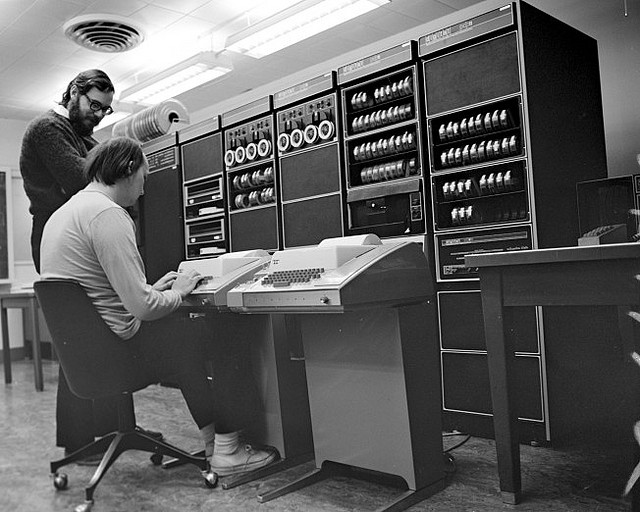
| Sam | After walking away from Multics, they wanted a system that preserved the time sharing interactive vision, but, you know, completely abandoned the bloat. So they built an early version of what would become UNAX on a relatively modest minicomputer called the PDP-7. |
| Alex | Instead of a monolithic architecture that tried to do everything. They prioritize small independent pieces that can work together. So if Multics is the 50 pound multi-tool, YanX is, uh, it’s like a sleek, highly specialized set of chef’s knives. Each knife executes one specific cut perfectly, and you just switch between them as needed. But I have to push back here. You mentioned they built this for a modest PDP-7 minicomputer in the late 60s. The jump from a minicomputer in 1969 to the practically infinite cloud infrastructure I’m running my Python models on today is massive. I mean, how did software built for obsolete hardware survive? Well, |
| Sam | the survival of UNIX comes down to a monumental shift that happened in 1973. Unit X was rewritten largely in the C programming language. |
| Alex | It was brand new, |
| Sam | right? Dennis Ritchie actually co-created C specifically to build UniX. Prior to this, operating systems were written in assembly language, |
| Alex | and assembly is basically machine code translated into human readable text, |
| Sam | right? Exactly. And because of that, it is permanently tied to the exact physical architecture of the processor it was written for. |
| Alex | So before C, if you bought a new computer, you had to write a brand new operating system from scratch just for that specific chip. You |
| Sam | did. And what’s fascinating here is that the C compiler broke that chain. By rewriting UNIX in C, they gave the operating system portability, meaning it could move around. Yes, you just needed a C compiler for your new hardware, and you could recompile the UNIX source code to run on it. The constraints of their limited hardware at Bell Labs forced an elegant simplicity. And rewriting it in C ensured that this simplicity outlasted the original physical machines. |
| Alex | So portability is the catalyst here because UnanX could be moved to different hardware and because Bell Labs licensed it out to universities for research, it just started spreading like. Fire. And as things spread, they mutate. But there is a massive gap between Bell Labs in the 70s and the specific Linux server or Mac OS laptop a data scientist is using today. |
| Sam | Well, the proliferation created a very messy, very vibrant family tree. Universities took the source code and started heavily modifying it. |
| Alex | That’s where Berkeley comes in, right? Right. |
| Sam | The University of California, Berkeley created a major branch called the Berkeley Software Distribution, famously known as BSD. They added substantial improvements, notably integrating the networking protocols that would become the foundation of the internet. Wow. At the same time, commercial vendors took the code and made their own proprietary versions. So IBM built AIX, Hewlett Packard made HPUX. Sun Microsystems had Solaris. |
| Alex | And for the Mac users tuning in, this is the exact moment your machine enters the story. Modern Mac OS doesn’t just look like UNIX. It has a deep, fundamental UnIX foundation. |
| Sam | It really does. Underneath the slick graphical interface, MacOS runs on a core called Darwin and XNU which traces its direct lineage back to that Berkeley branch, specifically BSD 4.4 |
| Alex | lite, which is wild. When you open the terminal on your Mac and tech commands, it feels identical to a remote server because you’re interacting with a direct descendant of that university research. |
| Sam | Exactly. But then, um, We look at the other side of your workflow, the Linux servers, where you’re actually deploying those data science models. We had to make a very clear fundamental distinction about Linux’s place in this family tree. |
| Alex | Here’s where it gets really interesting. Linux is not original Union IX code. Not a single line of it traces back to Bell Labs. |
| Sam | That is the ultimate twist. By 1991, a student named Linus Torvaldt wanted a UNIX-like environment for his personal computer, |
| Alex | but he didn’t want to pay for it, right? |
| Sam | The problem was that the existing options were heavily commercialized, expensive, or, you know, entangled in legal battles. So he just sat down and started writing his own low-level core, the Linux Kernel, completely from scratch. He reverse engineered the behavior of UNIX without looking at the original source code, so |
| Alex | he didn’t copy the code. He copied the interface. He basically built a brand new engine that fit perfectly into a vintage car’s chassis. |
| Sam | That’s a great way to put it. But a kernel is just the engine. It doesn’t give you the steering wheel or the dashboard. You need the rest of the car. Exactly. To build a complete usable system, Torvalds combined his kernel with a massive ecosystem of openly developed software, primarily from the JNU project, and |
| Alex | GNU stands for, well, playfully stands for GNUs, not Unix. Yes, |
| Sam | it was a movement started years earlier to create a free open source UNAX compatible ecosystem. They had built the compilers, the text editors, the shell interfaces. Everything except a working kernel. |
| Alex | So when Torvalds provided the Linux kernel, they just merged them, |
| Sam | right? And that combination is what actually gives us the modern distributions you use today. Ubuntu, Debbie, and Red Hat. Technically they are GNU Linux systems. They are functionally Unix-like, even if they aren’t legally branded as Union AX. |
| Alex | So POX kept the family from breaking apart, right? Because if Mac OOS has BSD DNA and Linux is a scratch-built clone, there had to be something ensuring a Python. Script interacting with the OS runs predictably on both. |
| Sam | PSX is the anchor here. It stands for Portable Operating System Interface. It is a formal standard that defines exactly how operating systems and command line programs should behave and communicate. |
| Alex | It acts like a peace treaty across this sprawling family tree, |
| Sam | basically, yeah. As long as Make OS and Linux comply with PO6 standards, your scripts, your file operations, and your command line tools remain completely portable. |
| Alex | But a standard is just a rulebook. I mean, the reason developers actually wanted to follow that rulebook was because the underlying philosophy was so incredibly useful for getting work done. The shared lineage isn’t just about legal definitions. It’s about a shared perspective on how to organize the digital world. |
| Sam | And the Unina philosophy is beautifully minimalist. It really boils down to three core tenets. Write programs that do one thing well. Write programs that work together, and write programs that handle tech streams, because text is |
| Alex | a universal |
| Sam | interface. Exactly. |
| Alex | Let’s see how that philosophy dictates the environment you work in, starting with the file system. As a student, you spend your whole day navigating absolute and relative paths from the root directory. But what’s fascinating is why UNIX rejected the idea of drive letters entirely. Yeah, |
| Sam | that’s a big shift for a lot of people. |
| Alex | If you grew up on Windows, you are used to a C drive for your system, maybe a D drive for your data. UnIX just throws that out. By forcing everything under a single forward slash, the single tree architecture, they made the system entirely agnostic to the physical hardware. |
| Sam | It creates a seamless abstraction. It honestly doesn’t matter if your data set lives on a local solid state drive, a mounted network volume, or like a legacy tape drive across the building to your terminal and to your Python scripts. It is just a branch on the exact same tree. |
| Alex | The operating system handles the physical reality. You just interact with the directory path. This is why tools conceptually, like the make a directory command, MADR, and the Change directory command CD are so universal. You aren’t managing hardware, you are navigating a logical map. If |
| Sam | we connect this to the bigger picture, this single tree is also fundamentally a shared workspace because UnIX was designed for multi-user mainframe computing from day one. Every file and directory has to have access rules built right in. |
| Alex | The read, write, and execute permissions. |
| Sam | Exactly. When you are struggling with a permission denied error on your server or you know, you’re modifying the permissions on your data pipeline script so the system can actually execute it. You are actively participating in a multi-user social contract designed in the 1970s. The system tracks whether the individual owner of the file, a specific group of users, or the entire world is allowed to view, modify, or run that resource. It’s just an elegant solution to the original problem of preventing users from crashing each other’s work. OK, |
| Alex | so we have this rigid, highly organized file structure, and we have tiny programs designed to do just one thing well, but isolated tools are useless. You need a way to make those tiny programs talk to each other to actually process data. And |
| Sam | this is where the architecture becomes truly brilliant. Unit X introduces the concept of standard communication channels. Every single running program on a POCX compliance system automatically opens three distinct streams of data. |
| Alex | I’m assuming we’re talking about standard input and standard output here, the ways data gets in and out of the process. |
| Sam | Those 2, plus 1 more critical channel. You have standard input or slutin. This is the stream of data flowing into the program, which usually defaults to the keystrokes you type on your terminal. Makes sense. Then you have standard output or slept in. This is the successful result flowing out of the program, defaulting to printing text directly on your screen. Finally, you have standard error or sletter. This is a dedicated screen strictly for warnings, diagnostics, and error messages, which also defaults to printing on your screen. |
| Alex | Wait, if standard output and standard error both just print text to my terminal screen, why bother separating them? To the user, it just looks like a wall of text anyway. |
| Sam | Well, it looks identical on the screen, but the separation becomes crucial the moment you want to capture the data. The shell allows you to redirect these streams using the greater than symbol. Oh right. Imagine you write a data processing tool that outputs a pristine millions of rows data table. You want to redirect that standard output to save it into a new file. Let’s call it Cleandata.csv so your machine learning model can ingest it later. |
| Alex | OK, so the terminal intercepts the text before it hits the screen and routes it into the file. |
| Sam | Precisely. But suppose halfway through processing. Your tool encounters a corrupted row in the raw data and issues a warning message. If standard output and standard error were combined into a single channel, that diagnostic warning text would get injected directly into the middle of your perfectly formatted CSV file. |
| Alex | And when my Python model tries to read that CSV later, it hits a random string of text and the whole script crashes. |
| Sam | Exactly. By isolating standard error into its own channel, you can redirect your perfect data into a file, while the diagnostic errors bypass the file and print safely to your screen. Or, you know, you can redirect standard error to a completely separate log file to review later. It is brilliant plumbing that prevents data corruption. |
| Alex | Plumbing is actually the perfect segue because the ability to route these streams brings us to the most powerful tool in the UNIX arsenal, the pipe. It’s represented by that vertical bar character on your keyboard, and it was championed by Douglas McIlroy at Bell Labs. |
| Sam | The pipe takes the standard output of one program. And connects it directly into the standard input of another program, |
| Alex | which completely changes how you interact with the computer. It turns the command line into almost a lightweight functional programming language. It really does. Think of it like a factory assembly line. Instead of building one massive complex machine that tries to build an entire car all by itself, the data. Do a conveyor belt. One tiny specialized machine cleans the data. It passes it down the belt to the next machine, which sorts it. That passes it to the next, which counts it. You just arrange the stations in whatever order you need. If you have a massive application log and you need to find how many times a specific error occurred. You don’t write a custom application. You use a tool to search the text, pipe the output into a tool that sorts it, and pipe that into a tool that counts the lines. |
| Sam | You’re just orchestrating specialized tools on the fly. But this raises an important question for our listeners. How does this historical assembly line bridge to the Python code you are writing right now? |
| Alex | Because Python certainly isn’t a UIX command from the 1970s. |
| Sam | It’s not. But it was built with deep respect for this ecosystem. Because of the Unanex philosophy, your Python programs are not isolated islands. They are native citizens of this assembly line. When you use the print function in Python under the hood, the interpreter is simply writing text to the standard output stream. When you use the SIS module, you can directly read from sys.stin and write error messages to sys.stitter. |
| Alex | So a Python script can easily be used as a brand new command line tool behaving exactly like the vintage ones. |
| Sam | Completely. Let’s say you need to process a data set that is way too large to fit in your computer’s RAM. Instead of writing a Python script that tries to open the file, read it, filter it, and summarize it all at once, you could just leverage the terminal, |
| Alex | right? Because trying to open a file that big would just crash the script. Exactly. |
| Sam | You use a fast C-based UIX tool to extract the relevant lines, pipe that stream of text directly into your Python script via standard input, and have your Python script calculate the summary. Your Python script is suddenly benefiting from the speed and memory efficiency of 50-year-old CLI tools. |
| Alex | And it goes the other way too. With Python’s subprocess module, your Python script can act as the factory manager. Your script can call command line tools, pipe data between them, capture their standard output, and process the results. You are literally invoking this 50 year old architecture programmatically. |
| Sam | Modern graphical tools, Jupiter notebooks, web-based cloud environments. They often hide these concepts behind very friendly, colorful interfaces. |
| Alex | They definitely try to obscure the complexity. |
| Sam | Yeah, but beneath it all, the foundation is immutable. Whether you are running software in an isolated Linux container, writing a shell script to automate file transfers, or deploying a distributed machine learning cluster, it all relies on this architecture of single root file systems, specialized processes, text streams, and standard error channels. |
| Alex | So, what does this all mean? It means when you write a Python script that takes plain text input and prints plain text output. You aren’t just writing an isolated script, you are making your code instantly compatible with a half century old ecosystem of incredibly powerful battle-tested tools. |
| Sam | You are adopting a paradigm of computational work that has survived because it is fundamentally adaptable to any scale. |
| Alex | Let’s recap the incredible journey we’ve been on today. We started in the era of room-sized mainframes with the bloated, ambitious failure of the Multics project. That friction pushed a few brilliant minds at Bell Labs to create something modular and elegant with UNIX on a tiny minicomputer. |
| Sam | We saw how Dennis Ritchie’s C language gave that system the portability to escape its original hardware spreading across the globe. |
| Alex | We traced that vibrant family tree from the BSD Foundation powering your Macras to Linus Torvalds and the GNU Project building the Linux servers that run the modern web. And binding this entire sprawling ecosystem together is POSX and the UNAS philosophy, a single root file system abstracting the hardware, the brilliant separation of standard input, output, and airstreams, and the incredible power of piping small specialized tools together on an assembly line. |
| Sam | It is a profound legacy to interact with every day. But um I want to leave you with a final thought to ponder as you open your terminals this week. Oh, I love a good final thought. The source material makes it clear that Uninex’s brilliant simplicity, these small modular tools connected by plain text, was largely forced by the strict hardware constraints of the 1970s. They simply didn’t have the memory or processing power to build something overly complex. Today you are training massive AI models and processing petabytes of data on practically limitless cloud infrastructure. |
| Alex | The constraints that forged UN X are entirely gone. |
| Sam | Exactly. So ask yourself, will the sheer unconstrained massive scale of modern data science. Eventually break this 50 year old philosophy. Will we outgrow the pipeline, or isn’t the modular simplicity of a UnioniX style tech stream the only thing keeping our infinite cloud environments from turning back into the bloated, unusable mess of multis? |
| Alex | Wow, that is a fantastic question to chew on. The next time you open up your terminal and see that blinking cursor on a black screen, remember, it’s not a time machine. It is the control room of a philosophy that has defined modern computing. Thank you so much for joining us on this deep dive. We hope you see your servers, your directory pads, and your Python scripts in a whole new light. Keep exploring and we’ll see you next time. |
Presentation
- Unix File System and Command Line — the blueprint of modern computing: one tree, small tools, and text flowing between them
Read
- The Core Ideas Behind UNIX (source document for podcast)
- UNIX File System and Command Line Interface
- UNIX References and Tutorials
Hands-on
Notebooks in 06-Unix-Command-Line
Homework
- Homework 5: Unix File System and Command Line — due Wednesday, October 14, 2026